
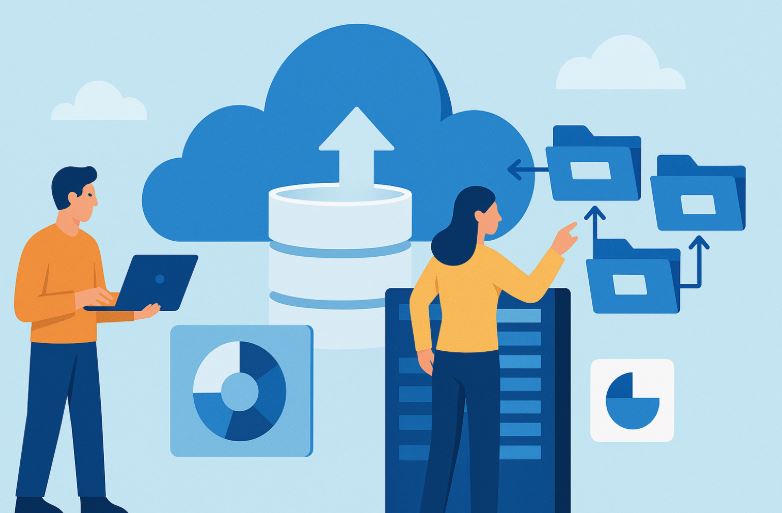
How do organisations maintain business continuity while upgrading technology? What steps are necessary to move vast amounts of information from ageing systems to modern cloud infrastructure?
These questions are central to one of the most critical processes in the digital transformation journey: data migration in cloud computing. As businesses grow and shift towards cloud-based ecosystems, the ability to seamlessly transfer data between platforms, applications, or systems has become not just important but essential.
Data migration enables organisations to unlock better performance, reduce IT costs, improve data access, and ensure long-term scalability. However, the process must be carefully planned and executed to avoid security risks, data corruption, and costly downtime.
What is Data Migration?
Data migration refers to the process of moving data from one location, format, or system to another. This transfer could be between databases, storage types, file systems, or entire computing environments. Common triggers for data migration include:
- System or application upgrades
- Storage replacements
- Platform consolidation
- Cloud adoption
- Organisational restructuring (e.g., mergers or acquisitions)
The process isn’t merely about copying data; it requires a strategic approach that ensures data integrity, compliance, and operational continuity. A successful migration includes reviewing the existing data, cleansing and transforming it if needed, and validating it after the transfer is complete.
Why is Data Migration in Cloud Computing Important?
As more businesses adopt cloud technologies, the role of data migration has shifted from being a back-office IT concern to a strategic enabler of business agility. Moving data to the cloud allows organisations to:
- Centralise their operations
- Access data from any location
- Improve disaster recovery and resilience
- Scale storage and computing resources on demand
- Reduce physical infrastructure and maintenance costs
In cloud environments, data is typically stored across distributed systems managed by service providers such as Amazon Web Services (AWS), Microsoft Azure, or Google Cloud. Migrating to the cloud requires not only transferring data but also ensuring compatibility with the new architecture.
Cloud data migration is also vital for complying with data privacy regulations, such as the General Data Protection Regulation (GDPR) and industry-specific frameworks like HIPAA or ISO/IEC 27001.
What Are the Different Types of Data Migration?
Data migration in cloud computing takes various forms, each with its own complexity and purpose:
Storage Migration
Involves transferring data from one storage medium to another, such as moving files from on-premise disk storage to cloud-based object storage. It may also involve upgrading hardware or changing formats.
Database Migration
This process shifts data from one database management system (DBMS) to another. It often involves schema conversion, data transformation, and indexing to align with the destination environment.
Application Migration
Occurs when data is moved between software platforms. Because each application may use different data structures, this form of migration requires data mapping and often integration tools or middleware.
Cloud Migration
Specifically refers to moving data, applications, and services from local data centres to cloud platforms or from one cloud provider to another.
Business Process Migration
Includes transferring both data and entire workflows that underpin operational processes, such as customer data, inventory systems, or financial transactions.
Platform Migration
This refers to changing the underlying computing environment, such as moving from Windows to Linux systems or between different virtualisation platforms.
What Are the Main Challenges in Data Migration?
Despite its benefits, data migration presents several technical and organisational challenges:
- Data Quality Assurance: Ensuring the accuracy, completeness, and cleanliness of data before and after migration.
- Downtime Risk: Prolonged outages during migration can impact business operations.
- Compatibility Issues: Source and destination systems might differ in data formats or architectures.
- Security Threats: Sensitive data in transit is susceptible to breaches without encryption and access controls.
- Data Mapping Complexities: Misaligned or poorly mapped data structures can lead to functionality issues.
- Governance and Compliance: Lack of policies or documentation can result in legal and regulatory risks.
Organisations must also consider the cost of the migration itself and the long-term performance impact on business operations.
What Are the Key Steps in a Data Migration Process?
A successful data migration project follows a structured sequence of steps. Here’s a typical flow:
| Step | Description |
| Assessment | Identify business goals and evaluate the current state of data. |
| Resource Planning | Allocate human and technical resources; estimate timelines and costs. |
| Data Profiling | Understand data structure, quality, dependencies, and anomalies. |
| Mapping & Design | Define relationships between source and destination data formats. |
| Tool Selection | Choose appropriate tools based on data type, volume, and destination. |
| Migration Testing | Run simulations to test data accuracy and system compatibility. |
| Execution | Begin migration during a controlled window with rollback procedures ready. |
| Validation | Confirm data integrity and performance post-migration. |
| Optimisation | Tune system settings for speed and efficiency. |
| Decommissioning | Shut down old systems after successful migration. |
How Do You Create an Effective Data Migration Plan?
An effective data migration plan outlines the objectives, scope, responsibilities, tools, timeline, and risk mitigation strategy. Consider including the following elements:
- Discovery Phase: Identify data sources, volumes, storage types, and associated business processes.
- Define Objectives: Whether it’s modernisation, consolidation, or performance improvement, clarity is crucial.
- Map the Migration Strategy: Choose between big bang (single-event migration) or trickle migration (phased).
- Backup and Contingency: Prepare backup copies and rollback plans in case of failure.
- Pilot Testing: Migrate a small data set to test performance and system behaviour.
- Execution and Monitoring: Use real-time dashboards and logging tools to monitor progress.
- Post-Migration Support: Offer training, update documentation, and monitor long-term system performance.
What Tools and Technologies Support Data Migration?
A successful data migration largely depends on the tools and technologies used. These tools automate complex processes such as data extraction, transformation, validation, and loading (ETL), while also helping to maintain data consistency and security.
Here are some widely used tools in 2024:
| Tool/Service | Description |
| AWS Database Migration Service (DMS) | Enables seamless migration of databases to and from AWS with minimal downtime. It supports homogeneous and heterogeneous database migrations. |
| Azure Data Factory | A cloud-based ETL and data integration service that allows data movement and transformation across on-prem and cloud systems. |
| Google Cloud Transfer Service | Designed for moving large volumes of data into Google Cloud from on-premise or other clouds, with automated scheduling and error handling. |
| Apache NiFi | Open-source tool for building robust and scalable data pipelines. It allows data flow automation across multiple platforms and supports real-time streaming. |
| Microsoft SQL Server Migration Assistant (SSMA) | Specialised in migrating on-prem SQL Server databases to Azure SQL with schema conversion and performance tuning support. |
| Varonis Data Transport Engine | Focuses on secure and auditable data migration with built-in compliance monitoring, useful in regulated industries like healthcare and finance. |
These tools often come with dashboards for real-time monitoring, alerts for anomalies, and capabilities to roll back in case of failure. Some also support real-time data synchronisation, which is particularly helpful for trickle migration strategies.
How Does Data Migration Differ from Integration and Conversion?
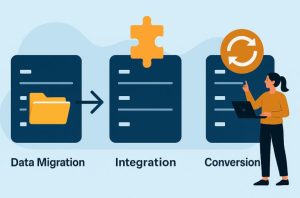
| Aspect | Data Migration | Data Integration | Data Conversion |
| Definition | Transfer of data from one system to another | Combining data from multiple sources | Changing data structure or format |
| Purpose | Move or upgrade systems | Create a unified view of distributed data | Make data compatible with new environments |
| Frequency | Usually one-time or infrequent | Ongoing or periodic | One-time or pre-migration step |
| Scope | Entire databases or systems | Partial or full datasets | Specific data elements or files |
What Are the Common Strategies for Data Migration?
Choosing the right migration strategy is critical to minimising disruption and ensuring project success. The two most widely adopted strategies are:
Big Bang Migration
In this approach, all data is migrated in one operation, typically during a scheduled maintenance window. The entire system is taken offline, the data is transferred, and the new system goes live after the process completes.
Advantages:
- Simpler execution model
- Lower short-term resource costs
- Quicker implementation
Disadvantages:
- High risk of failure if any part of the migration goes wrong
- Requires complete system downtime
- Limited testing opportunities
Trickle Migration
This method divides the migration into smaller chunks that are moved incrementally while both old and new systems operate simultaneously.
Advantages:
- Little to no downtime
- Easier to isolate and fix issues during the process
- Safer for mission-critical systems
Disadvantages:
- More complex planning and coordination
- Higher operational cost over time
- Requires continuous monitoring
Organisations may also consider hybrid strategies or use containerisation and virtualisation tools to simplify transitions across environments. The choice depends on the size of the dataset, business continuity requirements, available resources, and the complexity of the existing architecture.
What Are the Best Practices for Data Migration?

Regardless of the method or tools used, adhering to best practices ensures the reliability, security, and success of your migration project. Below are some widely accepted best practices:
1. Start with a Clear Business Case
Define the “why” behind your migration. Whether it’s system performance, compliance, cost savings, or scalability, having a clear rationale helps align stakeholders and justify investments.
2. Audit and Understand Your Data
You can’t migrate what you don’t understand. Analyse your source data’s quality, structure, volume, and dependencies. Identify duplicate records, outdated files, and irrelevant data that can be archived or discarded.
3. Prepare Backups and Contingency Plans
Before initiating any migration, perform full backups and define a rollback plan. This ensures you can restore operations quickly in case of unexpected errors or system failures.
4. Minimise Downtime
Plan migrations during off-peak hours or weekends to reduce disruption. Consider using trickle migration if the system must remain online throughout the process.
5. Clean and Standardise Data
Pre-migration data cleansing eliminates duplicate, incomplete, or inconsistent data. Standardising data formats also improves compatibility with the destination system and reduces the risk of transformation errors.
6. Test Early and Often
Perform pilot migrations with sample datasets. Test the entire pipeline, from data extraction to integration and application performance, before executing the final migration.
7. Implement Role-Based Access Control (RBAC)
During and after the migration, define clear roles and permissions to ensure that only authorised personnel can access or modify critical data.
8. Monitor and Validate
Real-time monitoring tools can detect anomalies such as failed data loads, system lags, or format mismatches. Post-migration, validate data integrity through reconciliation checks and end-user testing.
9. Communicate with Stakeholders
Keep IT teams, business users, and leadership informed throughout the project. Provide documentation, training, and updates to ensure a smooth transition.
10. Fully Document the Process
From planning to post-migration review, maintain comprehensive documentation. This is useful not just for compliance and auditing, but also for improving future migrations.
FAQs
What’s the first step in a cloud data migration project?
The first step is to assess your current data environment, including quality, structure, and dependencies, and define the objectives for the migration.
How do you maintain data quality during migration?
By performing data profiling and cleansing before the migration, followed by validation tests post-migration.
What’s the difference between trickle and big bang migration?
Trickle migration happens in phases while systems remain live; big bang migration is a one-time transfer during planned downtime.
Can offline migration be more secure than online?
Yes, for large datasets, offline methods using physical drives can reduce exposure to online threats.
Why is mapping data important?
It ensures that source data correctly aligns with destination fields, avoiding structural conflicts or data loss.
What happens if the data format is incompatible?
The data must be transformed using ETL processes to ensure it works within the target system.
Should small businesses migrate to the cloud?
Absolutely. Cloud migration offers cost savings, flexibility, and access to modern tools with minimal infrastructure investment.